On this page
Submitting Your Project
Before a reviewer can look at your project and you can start earning gold, it needs two things: a good README and a complete, working project. This page walks through both, plus the one field people get wrong most often, your playable or demo link. This applies to both software and hardware projects.
We want you to create real, shipped projects. Missing either of the two requirements gets your project returned, so read both carefully.
Read the requirements below carefully before you submit. Missing files, broken links, or an unclear README are the most common rejection reasons, and every one of them is cheap to fix upfront.
1. A Good README
Your README is people's first impression. Someone landing on your repository for the first time should understand what your project is, what it does, and why it exists without opening a single file.
At minimum, your README must include:
Description:
- A short description of what your project is and what makes it unique
- How to use it (be detailed, others can't read your mind)
- Why you made it (be personal, what problem are you solving?)
Visuals:
- Software: Screenshots or a GIF showing the app/site in action, plus a playable link to the deployed site (or a downloadable build if it isn't deployable, like a CLI, not the bare repo).
- Hardware: Screenshots of a full 3D model of your project fully assembled, PCB renders if applicable, and a wiring diagram if you're not using a PCB. Once your build is working, also add a short demo video of the device in action.
Hardware only:
- A BOM table listing every part in your build: part name, quantity, price, and a link to where to buy it. This is the same list as your
bom.csv(see the repo checklist below), rendered as a table so a reviewer can read it without leaving the README. - Assembly instructions. Explain how the project goes together: anything beyond soldering parts where they're labeled on the PCB. Wiring order, print settings for 3D parts, fasteners, how to flash the firmware. If building it needs knowledge that isn't written down anywhere, write it down here.
For software projects, the README is also gated on submit: an empty README is blocked, and at Level 2 and above it needs at least 200 characters of real detail. So write a few sentences, not one line.
2. A Complete Project
For your project to be complete, someone else should be able to read your repo, understand it, and either run it or replicate it. The bar is reproducibility: someone with minimal technical knowledge should be able to recreate your project using only what's in your submission. For hardware, that means your repo has everything needed to build the device from scratch: the BOM, the design files, and assembly instructions.
A project that only you can use is not shipped. It only lives in your head.
Before you submit, your project also needs at least 1 hour of real logged work. For software, that's Hackatime time on the linked project. For hardware, that's journal hours. Mixed projects can use either. We don't want the review queue filling up with projects that barely have any work on them yet.
You'll also need a thumbnail uploaded before you can submit. That's the cover image people see on the farm and in the feed, and it doubles as your project's banner. It has to show the actual project: a screenshot of the working app, or a photo or render of the hardware. A logo, a mockup, or a generic image doesn't count, and a reviewer will send your ship back over it.
Getting Funded (Hardware Only)
Hardware projects can request a grant for parts. On the cart panel, tick I need funding before you submit. When your design is approved, Hack Club sends you a grant for the build cost you entered, instead of awarding fruit for this ship.
Funding by Level
Funding is capped based on your project's level. The build-cost field on your project page enforces these caps, it won't let you save a cost above your level's limit:
 Guava
Guava Coconut
 Watermelon
 Avocado
L4 Expert projects can request up to $1000, but those funding requests get extra scrutiny from reviewers at design review time. If your build genuinely needs more than your level's cap, ask in #macondo-help on Slack before you submit so we can work it out case-by-case.
When you tick funding, you'll also need at least one cart or parts-list screenshot and a total build cost filled in, that's how reviewers see what you're buying and check the dollar amount.
Once your parts arrive and you've actually built the thing, come back and submit an update ship with the funding box unchecked. That ship earns gold for the hours you spent building. You can keep iterating with more update ships if something breaks later, each one either asking for more funding or earning gold for your work.
For software projects, your repo should have:
- All source code (not just a compiled build)
- A dependency file (
package.json,requirements.txt,Cargo.toml, etc.) - Clear setup instructions: how to install dependencies, how to run it locally
- A
.gitignorethat excludesnode_modules,.env, build folders, etc. - A working demo or deployment link, if possible
For hardware projects, your repo should have:
- A BOM (Bill of Materials) as a
bom.csvfile listing every part in the build, with quantity, price, and a link to where each part can be bought. The same list also goes in your README as a table (see above). - Source files of your PCB (.kicad_pro, .kicad_sch, .kicad_pcb, or EasyEDA equivalent, plus gerbers.zip)
- .STEP files of your 3D CAD and the source design file (.f3d, .FCStd, or Onshape link)
- Firmware source code, if applicable, with compilation instructions
- Assembly instructions in the README covering anything beyond soldering parts where they're labeled on the PCB
- Any other files that are part of your project
Could a stranger with basic soldering skills build your exact project this weekend, using only your repo? If they'd have to message you with a question, the answer belongs in your README.
Both should be:
- Your own work. AI-assisted code is fine if you've understood it, polished it, and can explain it. Not copied from a tutorial, not someone else's project.
- Well-organized with a clear folder structure and sensible file names
- Sanity-checked by someone else. Ask a friend or ask in #macondo on Slack before submitting.
Project URL: playable link or demo video?
Every ship has a single URL field on its project page, labeled Playable Demo URL. It's the same field whether you're shipping software or hardware, but what we expect you to put there differs by type. Filling in the wrong thing is one of the most common reasons a ship gets returned, so here's exactly what goes where.
Software ships: a playable link
Drop in the deployed link so a reviewer can click it and play with your project in their browser. If your project genuinely isn't deployable (a CLI, a desktop app, a script someone runs locally), link a downloadable build a reviewer can run instead, a compiled binary or installer, or a GitHub /releases page. A bare source repo isn't a playable link, so put your code in the separate Repository field, not here.
A few things that won't pass for software, so you don't get caught out:
- A bare code repo, a
/treeor/blobbrowse page, or a raw source file (likebagel.cpp). Link the running site instead. A GitHub/releasesor/tagspage, or a direct download of a compiled build (.exe,.dmg,.apk, a.zipof the binary) is fine when your project is a downloadable app. - A video. Videos are only build proof for hardware, never a software demo.
- A free host that sleeps when idle (Render, Replit, Glitch, and similar). It works when awake, but a reviewer opening it later often finds it down and fines it. Prefer a host that stays up: GitHub Pages, Netlify, Vercel, or Cloudflare Pages.
The playable link is always required for software ships.
Hardware ships: a demo video
For hardware, the same field means something different: a short, public video that proves the device works in real life. Hardware can't be loaded in a browser, so we can't try it ourselves. The video is how reviewers verify the build. A YouTube unlisted link, a Loom, a Slack canvas video, or any public clip works.
When you need the video depends on which kind of hardware ship this is:
| Ship type | What it is | Demo video |
|---|---|---|
| Design ship | Requesting funding to buy parts, not built yet | Optional |
| Build ship | Not requesting funding (self-funded or already got a grant) | Required |
For a design ship, the CAD source, BOM, and PCB files in your repo are the proof, so the video is optional. You can leave the field blank, or paste a turntable render or animation link if you have one.
For a build ship, we need to see the device powered on, doing what your README says it does. This is how reviewers know the build is real before unlocking your pending fruit, so the video is required.
For a CAD-only ship (no electronics) the rules are different. Skip ahead to CAD Project Specifics below, where the URL field gets a Printables link instead of a video.
Why one field, two meanings? Software runs online, so reviewers can play it. Hardware runs in your room, so reviewers need video. Same field on our end, different expectations on yours.
CAD Project Specifics
If your project involves 3D modeling, parametric design, or anything you'd 3D-print, here's what we expect. Use a real CAD tool, ship the source, and make it printable.
Approved CAD editors
Use one of:
- Fusion 360
- Onshape
- Shapr3D
- Solidworks
- FreeCAD
- OpenSCAD
- Blender
- Solvespace
TinkerCAD is not accepted. It's great for learning, but it doesn't produce the parametric source files we need to verify your work. If you want to use a tool that's not on this list, ask in #macondo-help on Slack first.
Required CAD deliverables
For any CAD-driven part of your project, your repo must include:
- The native source file from your editor (
.f3dfor Fusion 360,.FCStdfor FreeCAD,.scadfor OpenSCAD,.blendfor Blender, etc.). For cloud editors like Onshape or Shapr3D, include a public link in the README. - An exported
.STEPfile for every part you designed. Reviewers use this to inspect geometry without installing your editor. - An exported
.STLfile for every part you intend to 3D-print, alongside the .STEP. - A short note in the README explaining how the parts fit together (assembly order, fasteners, tolerances if relevant).
CAD ships are one ship, not two
A CAD-only project ships in one go: print the part, then submit. There's no separate design ship and build ship like electronics projects have, and no funding cycle. The only thing that gets reviewed is the printed thing in your hands.
You must actually print the part in real life before you submit. A render, a slicer preview, or an unprinted .STL isn't enough. If we can't see proof you printed it, we can't approve the ship.
URL field and visuals for a CAD ship
When your part is printed:
- Upload your model to Printables and paste the Printables page link in the project's URL field. For CAD ships this is your playable link, a reviewer should be able to download the same files you printed.
- Add a real photo of the printed part alongside any 3D-model screenshots. Not a render, an actual phone-camera shot of the printed object sitting on a desk, in your hand, wherever, just real.
- Make sure the repo still has the native source file, .STEP, and .STL exports listed under "Required CAD deliverables" above.
No 3D printer? Ask the Printing Legion
If you don't have access to a printer, ask in #printing-legion on Slack and someone there can print your model and mail it to you. More info at printlegion.hackclub.com. You still need a real photo of the finished print once it arrives, the same rule applies.
What NOT to Include
- AI-generated code, designs, or graphics submitted without your own polish, testing, or understanding
- Projects copied from other people (referencing and crediting is fine, presenting their work as yours is not)
- AI-written journals (journals must always be in your own voice)
- Missing source files or incomplete repos
Any project that includes stolen content, unreviewed AI-generated material passed off as your own, or other fraudulent work may be permanently rejected and could result in a ban from the program.
Stuck on any of this, or not sure your project is ready? That's normal. Ask in #macondo-help on Slack before you submit, a quick sanity check beats a returned ship.
Examples of Well-Shipped Projects
Software
- DoomPDF. Doom (1993) running inside a PDF document. Great README, clear build instructions, and a wild concept.
- Vert. A file converter that uses WebAssembly to convert files on your device. Clean UI, deployed, and well-documented.
- Specter. A game about a knight escaping a cave, haunted by his own ghost. Original art, polished gameplay, and a solid repo.
- Blind Defusal. A two-player cooperative bomb defusal game. Clear README with screenshots and setup instructions.
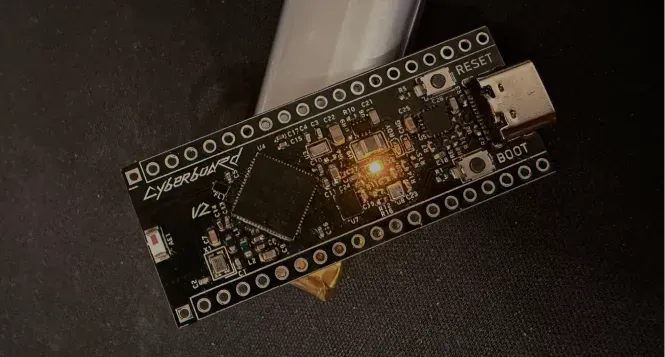
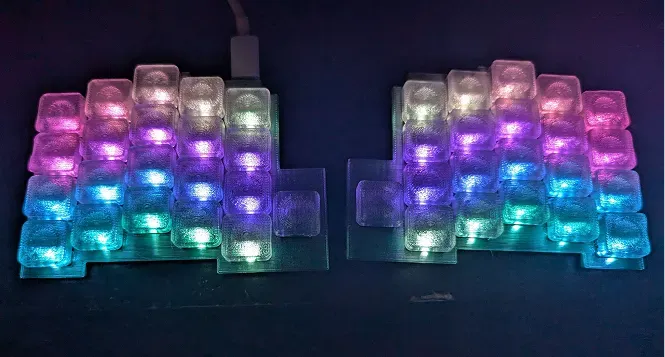
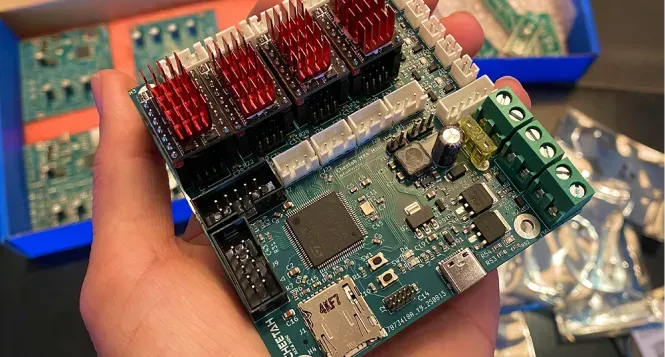
Hardware
See also
- What is shipping? , how reviews and approvals work
- How Levels Work , what each level pays in gold, funding, and fruit
- Sourcing Parts , how hardware funding grants work end-to-end
- Submitting a Build , the update ship after your parts arrive